How to Use Etherscan: A Practical Block Explorer Guide
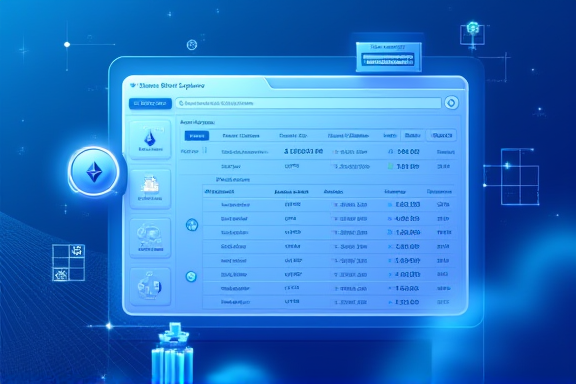
Etherscan is Ethereum’s “all-seeing eye”—every transaction and every contract is sitting on it, in the open. It’s not a wallet, not an exchange. It’s a web tool that lays out the on-chain data of Ethereum mainnet (and its L2 variants like Arbiscan, Optimistic Etherscan, Basescan) for anyone to read. Knowing Etherscan means you no longer have to trust whatever your wallet tells you—you can go check the chain yourself. (/uploads/20260529/1780066755088-88243.png)
Why You’ll Want to Open It
Common beginner moments: your wallet says “transaction sent” but the recipient says nothing arrived; a dApp pops a signature window and you sign without knowing what you just approved; an airdrop appears and disappears in a refresh. The fix for all of these is the same—go look it up on Etherscan.
A block explorer solves three problems: did this tx actually succeed, what has this address done before, and is this contract trustworthy? Tools like Arkham or Nansen wrap and annotate on-chain data, but the raw data comes from the same Ethereum nodes Etherscan reads from.
The Interface, Briefly
Open etherscan.io. The top nav splits into four buckets:
- Home / Blocks / Transactions: real-time blocks and network-wide tx stream.
- Tokens: directories for ERC-20, ERC-721 and ERC-1155.
- Resources: gas tracker, node status, contract verifier.
- More: developer API and Token Approval Checker (one of the most useful safety tools you’ll touch).
The search box in the top-right is what you’ll use most. It accepts addresses (42-char 0x...), tx hashes (66-char 0x...), block numbers, contract names, and ENS domains. Whatever you paste, it knows where to send you.
Looking Up an Address
Paste any 0x address and you’ll see:
- Overview: balance, token holdings (USD valued), tx count.
- Transactions: native ETH transfers.
- Internal Txns: transfers triggered inside contracts (a lot of airdrops travel this rail).
- Token Transfers (ERC-20): all ERC-20 movements.
- NFT Transfers: 721/1155 history.
- Analytics: activity over time, gas spent, net flow per token.
To judge whether an address is a whale, a sniper, or a team wallet, these tabs are usually enough. Combine with ENS and you can read names instead of long hex.
Looking Up a Transaction
Every tx has its own page. The fields that matter:
- Status: Success / Fail. Failed txs still burn gas; the reason sits in the “Error” field.
- Block + Confirmations: which block, how many confirmations on top.
- From / To: sender and receiver (To may be a wallet or a contract).
- Value: native ETH transferred.
- Transaction Fee + Gas Price + Gas Used: full fee breakdown.
- Input Data: which function was called, with what arguments. The “Decode” button turns this readable.
- State Changes: which balances and storage slots moved.
The most practically useful row is “Token Transferred”—it lists every token that moved in that single tx. For a Uniswap swap, you’ll see ETH out, some ERC-20 in, plus slippage and fee distribution.
Looking Up a Contract
A contract address has an extra Contract tab. Three sections matter:
- Code: the source (only if the team did “Verify & Publish”). No verification means you’re staring at raw bytecode—that itself is a signal.
- Read Contract: every view/pure function. Free, read-only. You can pull balances, admin addresses, supply numbers.
- Write Contract: every state-changing function. Connect a wallet and you can call them.
Read is underused. Examples:
- Wondering if an ERC-20 was secretly minted? Read → totalSupply.
- Wondering who controls an NFT contract? Read → owner.
- Wondering how much reward is left in a staking pool? Read → rewardPerToken.
If a contract exposes mint, setOwner, withdrawAll and similar Write functions without timelocks or multisig restrictions, treat it as a red flag—the playbook is in identifying rug-pull projects. When you want to go from reading contracts to writing your own, jump to Solidity first contract.
Signatures and Approval Checks
The most overlooked and most dangerous feature: Token Approvals (address page → top menu → Token Approvals, or etherscan.io/tokenapprovalchecker).
It lists every contract you’ve granted spending allowance to. The “stolen wallet” pattern is rarely a leaked private key—it’s almost always an old approval you forgot about, where the allowance is unlimited and the contract was later sold or compromised. The drill:
- Enter your address and load every approval.
- Focus on rows where Allowance = “Unlimited” and “Last Updated” is old.
- Connect your wallet and click “Revoke” on each suspicious row. Each revoke is a real tx and costs gas.
Signatures are similar. Etherscan can’t decode every off-chain signature, but it tells you “you’ve interacted with this contract N times” and whether it carries a flag—a first filter for phishing approvals discussed in contract audit basics. For a systematic wallet-security loop, see wallet guide.
Power Moves
Beyond the basic UI, Etherscan offers a few advanced tricks:
- Public Labels: well-known addresses (Binance Hot Wallet, Tornado Cash, Vitalik.eth) carry tags that show up in transaction lists automatically.
- My Notes: signed-in users can attach private labels to addresses, synced across devices.
- Gas Tracker: live gas prices with “fast / average / slow” gwei targets—check before every tx.
- Developer API: free tier 5 req/s, 100k calls/month. Enough for a personal wallet dashboard or alert bot.
L2 versions (Arbiscan, Basescan) are visually identical—learning one teaches you all.
(/uploads/20260529/1780066786796-97164.png)
A Quick Investigation Drill
Any time a transaction looks suspicious, do this in order:
- Copy the tx hash, paste into Etherscan search.
- Check Status—success or fail? Failures expose the reason.
- Check Token Transferred—what actually moved, and to where?
- Click into the To address—EOA or contract? Verified?
- If it’s a contract, open Read and Holders—are key state values sane? Is supply concentrated?
- If it smells wrong, head back and Revoke any related approvals.
Six steps clears most on-chain confusion.
Common Misconceptions
- Is Etherscan data delayed? No. Its nodes are in sync with mainnet, usually 1–2 blocks behind.
- Verified = safe? No. Verification only means the source code is public—not audited. See contract audit basics.
- Can I find out who owns an address? No. Etherscan tells you what an address did, not who controls it. Attribution lives in tools like Nansen / Arkham.
- Does unused gas come back? Yes. Gas Limit is prepaid; only Gas Used is charged, the rest refunds automatically.
Reading the Chain Is the Shortcut to Learning the Chain
Knowing Etherscan makes the on-chain world transparent. You no longer rely on any intermediary to tell you what happened—you read the ledger directly. The biggest gift it gives a beginner isn’t a particular feature; it’s the intuition that everything on-chain is public data. From there, every other topic—blockchain dev roadmap, account abstraction, contract audit—has somewhere concrete to land.
Master the block explorer, and the chain stops being a black box.