TradingView Alerts and Crypto Trading in 2026: From Conditions to Automated Execution
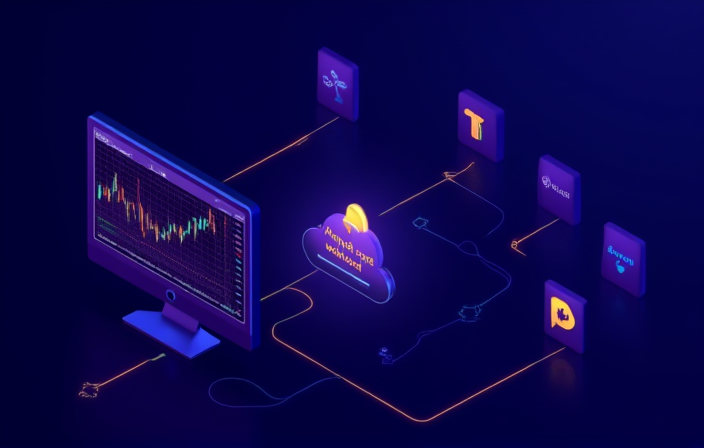
Most people start using TradingView by drawing trend lines and watching RSI divergences. Alerts feel like an afterthought — a “ping me when price hits this level” gadget. By 2026, the alert system has been rebuilt into a fairly complete front end for automated trading. It no longer just sends notifications. It translates the visual judgment you draw on the chart into a JSON message, pushes it to any system that accepts webhooks, including exchange APIs, third-party bridges, or your own scripts. This piece breaks down the full pipeline from alert to order, walks through the 2026 alert panel updates, and gives templates you can actually adopt.
The three roles of the alert system
Before anything else, understand the layers. A TradingView alert is doing three jobs:
- Trigger evaluation — price crossing, indicator crossover, custom script returning true
- Payload construction — what message to emit, including price and direction
- Channel selection — email, app push, SMS, or critically, a webhook URL
Beginners often use only layer one, treating the rest as decoration. The real workflow upgrade comes from stacking all three — the trigger only starts things, the payload decides whether downstream can parse it, the channel decides whether the loop closes.

How to design trigger conditions
The principle is that a trigger must be backtestable, not improvised. Common templates include:
| Type | Trigger logic | Typical use |
|---|---|---|
| Breakout | close > key resistance | Trend-following entry |
| Indicator crossover | RSI crosses 30 / 70 | Reversal or trim signal |
| Multi-confirmation | EMA stack + volume surge | Filter false breakouts |
| Custom script | Pine Script returns true | Complex strategy logic |
Once a condition is written, run it on at least six months of historical data. Without that step, a “reasonable looking” rule routinely misfires ten times a week in live markets. Pine Script remains the workhorse tool in 2026, and v6 syntax was added last year — pick the latest version for new scripts. For rigorous backtesting basics, start with the backtesting methodology guide.
Payload design dictates downstream parsing
This is the most overlooked step. Writing your message in natural language (“BTC broke 70000, buy signal!”) reads fine for a human but is unparseable for a downstream script. A closed-loop payload is JSON, for example:
{
  "symbol": "BTCUSDT",
  "action": "buy",
  "price": {{close}},
  "qty": 0.05,
  "stop_loss": {{plot_0}},
  "alert_id": "rsi_oversold_001"
}
Placeholders like {{close}} are replaced with real values at fire time. Keep field names stable, drop units in numeric fields, use true/false rather than strings for booleans — these details determine whether downstream needs a wall of if-else. Adding an alert_id field is also good practice for post-mortem audits.
Webhook is the bridge to execution
TradingView itself does not place orders. It pushes the message to a URL you specify. The real execution chain looks like this:
- TradingView alert fires → webhook POST
- Your middleware receives → verifies signature / IP allowlist
- Middleware calls exchange REST API → places order
- Order succeeds → writes log / pushes Telegram notification
The middleware is the most underestimated piece of the chain. Pointing TradingView’s webhook directly at an exchange API is essentially impossible — formats differ, signing differs, risk parameters are missing. You can use a hosted bridge service or write a minimal Python+FastAPI middleware. The critical part is signature verification, otherwise anyone who learns your webhook URL can place orders.
Multi-alert chaining: from single signal to conditional orders
A single alert can only do so much. The strong play is multi-alert chaining — alert A triggers “prepare”, alert B triggers “enter”, alert C triggers “take profit”, alert D triggers “cancel all”. This turns TradingView into a lightweight conditional-order engine.
The 2026 panel added a useful feature: alerts can share variables. The entry_price captured when A fires can be read by B and C. That means an “I bought at 70000, take profit at 72000” combo can be built entirely inside TradingView without hardcoding prices in every alert.
This chaining model can carry surprisingly complex strategies once you pair it with a solid signal source. If you are still relying on a single indicator for direction, read the RSI + MACD pairing guide to firm up the signal foundation first.

2026 pitfalls worth dodging
Once automation is in motion, a recurring set of traps shows up:
- Alert count caps: even the Premium tier has a limit. Reusing alerts with changed conditions beats constantly creating new ones.
- TradingView server latency: pushes can lag several seconds in extreme moves. Do not rely on this for high-frequency strategies.
- Bar close vs tick trigger: default is every tick, which causes repeated firing. Trend-following should switch to “once per bar close”.
- Webhook availability: if your middleware is down, TradingView does not retry. Signals are lost outright.
Each of these has burned real traders. The most common is hosting middleware on a home server — internet flickers, market moves big, alert fires but no one is listening. At minimum host middleware on a cloud with SLA, and stack fallback notifications (email + Telegram + SMS) so you can intervene manually when automation fails.
Treat it as a workflow upgrade, not a toy
The real value of TradingView alerts is consistency without screen time. The biggest weakness of manual trading is not speed, it is emotion — the same ruleset gets violated when staring at the screen yet executed cleanly when you are away. Once alerts plus webhooks plus middleware are chained, your time shifts from chart-watching to strategy refinement and post-trade review. That cognitive gap is one of the widest divides between seasoned and rookie 2026 traders, and the underlying logic loops back into the broader trading guide for context.